

In this module, you will take your first steps in programming, make your first plugins, and learn how signals are processed in digital systems, while gaining an introduction to the tools used to develop synthesisers and effects processors.

LESSON PLAN

INSTRUCTIONS

Use the < > arrow(s) above to move through the topic. Each page explains a key concept using text and graphics, leading up to a practical task. You can return to any page at any time, using the arrows or drop-down menu, and also restart animations by simply clicking them.
What is Digital Audio?
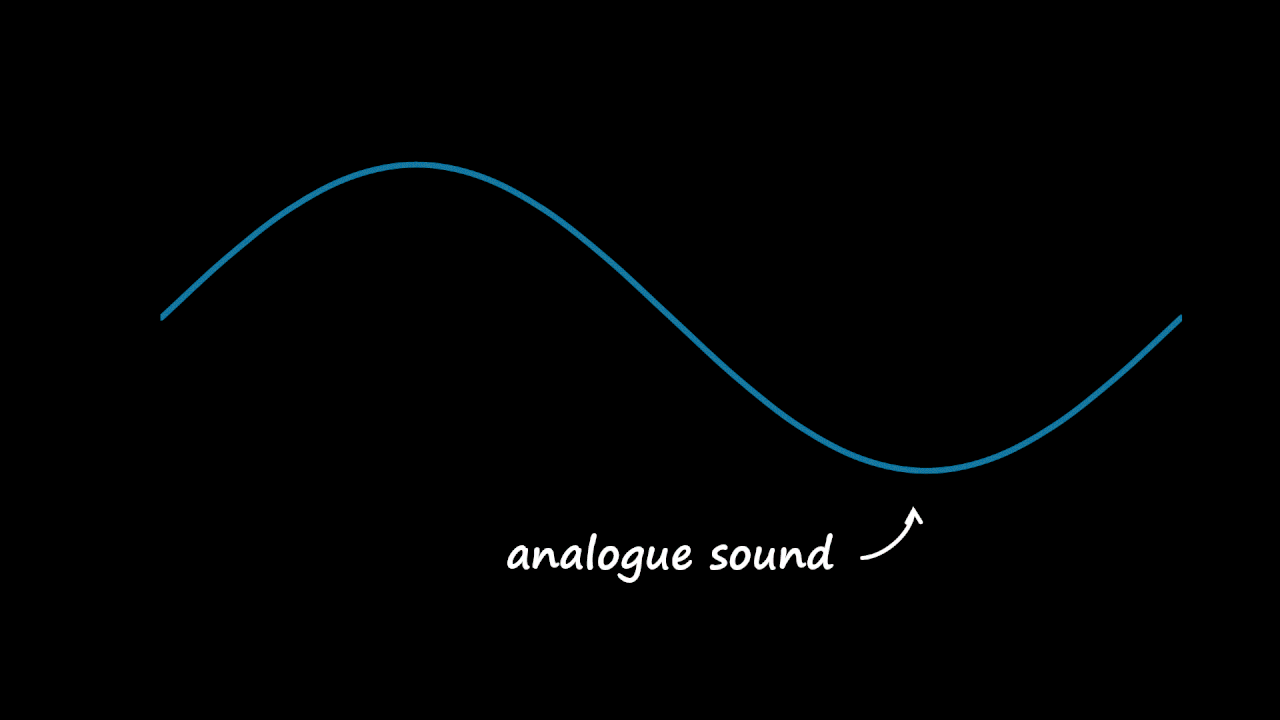
Digital audio is the representation of sound using numbers.
What is Digital Audio?
The sound is measured at regular intervals, dictated by the sample rate.
What is Digital Audio?
Each time, the sound's amplitude is measured, in the range -1.0 to 1.0.
What is Digital Audio?
An analogue-to-digital converter (ADC) digitises sound by sampling its amplitude
at a high frequency (the sample rate, e.g. 44100 Hz) to produce a series of numbers:
Digital Signal Processing
Digital signal processing (DSP) is the process of manipulating sound as numbers.
In many cases the maths is very simple - a combination of multiplying (*) and adding (+).
Digital Signal Processing
In a realtime system (e.g. a plugin), we process each sample in turn.
We'll use a variable, called 'in', to refer to the current input sample.
DSP Basics: Gain
To change the level of the signal, we multiply the sample by a scaling factor.
This is called applying gain - and uses the * operator.
DSP Basics: Gain
This process is applied to each sample in the signal.
DSP Basics: Gain
To output the result, the samples are converted back to analogue
sound by the system's digital-to-analogue convertor (DAC).
DSP Basics: Gain
The gain can be controlled live by varying the scaling factor —
which could be a user parameter, set by the UI or automation.
DSP Basics: Gain
Values less than 1.0 attenuate the signal.
DSP Basics: Gain
Scaling by 0.0 mutes the signal; 1.0 leaves it unchanged.
DSP Basics: Gain
Values over 1.0 amplify the signal...
Block Diagrams

We represent audio processes using block diagrams,
which describe how a signal is created and/or manipulated.

Block diagrams are a universal way of communicating concepts
designs, and techniques, widely used in textbooks, websites, papers.

The block diagram below simply copies the input to the output:

Block Diagrams

Block diagrams are directed graphs; they show signal flow using → arrows.

Signals generally flow left-to-right, top-to-bottom; but can go in any direction.

Block Diagrams

Labels are used to show important signal paths or stages
(inputs, outputs, channels, buses, mixes, sidechains, ...)

These will often mirror variable names in code, such as:

inthe input signal / current input sample
outthe output signal / current output sample
Block Diagrams

Outputs are represented with a 🔊 speaker symbol.

Block Diagrams

Outputs are represented with a 🔊 speaker symbol.

Processes may have multiple input or output channels (e.g. stereo).

Block Diagrams

To split (i.e. duplicate or copy) a signal, a node is used.

Block Diagrams

To split (i.e. duplicate or copy) a signal, a node is used.

Nodes make it easy to see when signals meet versus when they cross.

Block Diagrams

To avoid confusion; always show the direction of signal flow.

Block Diagrams

Scaling or multipling signals uses the ⊗ multiply symbol.

It multiplies two inputs to produce a new signal:

out = in × 0.5

Block Diagrams

Inputs can be any value, from any source - constants, variables, other signals.

The dial symbol represents a control parameter, provided by live input
(the UI) or automation (the DAW) - typically in the range of 0.0 to 1.0.

Lesson Summary

This initial lesson introduced key concepts in digital audio and signal processing (DSP)
that enable the manipulation of sound, which the next lesson will explore in practice.

KEY CONCEPTS

  • Digital audio is the representation of sound by numbers (typically in the range -1.0 to 1.0). An analogue-to-digital converter (ADC) measures the amplitude of sound at regular intervals, dictated by the sample rate (e.g. 44,100Hz).
  • Digital signal processing (DSP) is the process of manipulating sound as numbers. Most audio processing is based on simple mathematical operators (add, multiply), used in combination to generate and manipulate of signals.
  • To output the result, samples are converted back to analogue sound by an digital-to-analogue convertor (DAC).
  • The amplitude (gain) of a signal can be changed by multipling (*) it by a scaling factor, or modulating it with another signal. Low-frequency amplitude modulation produces a tremolo effect; higher frequencies produce amplitude modulation (AM) synthesis resulting in new spectral content (sidebands).
  • Signals are mixed by adding them using the + operator, which can also be used to apply a constant offset.
  • Audio processes can be expressed using block diagrams, which are directed graphs that show signal flow, inputs, outputs, and components within an audio process. Block diagrams act as blueprints that can be realised in code.

NEXT LESSON

  • Basic Coding Concepts